
How I Built My MDX Blog System (and Why It's Fast Enough)
I wanted a blog that felt like Markdown, but could still render React components, callouts, and embeds without turning into a templating mess. MDX hit the sweet spot — and Astro makes it fly.
Why MDX (not just Markdown)
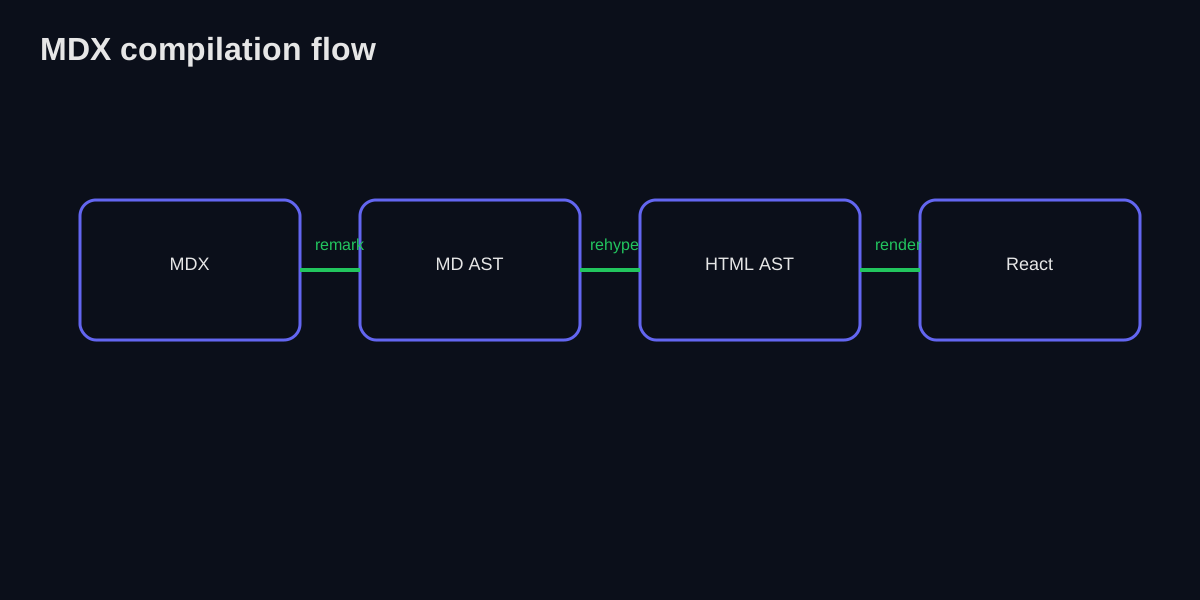
Markdown is simple and portable. The downside: you’re stuck with plain content. MDX gives you the ability to import React components right inside a post, which means you can drop in things like callouts, counters, or custom embeds. Under the hood, MDX turns your content into a structured syntax tree (think AST) before it becomes HTML.
If you’ve used a static site generator before, MDX feels like “Markdown with superpowers” — but it’s still readable in plain text, which keeps the writing workflow fast.
Example:
import Callout from '@/components/mdx/Callout';

<Callout type="info" title="Quick tip">
  This is an MDX component rendered inside your post.
</Callout>
The pipeline: content collections to compiled HTML
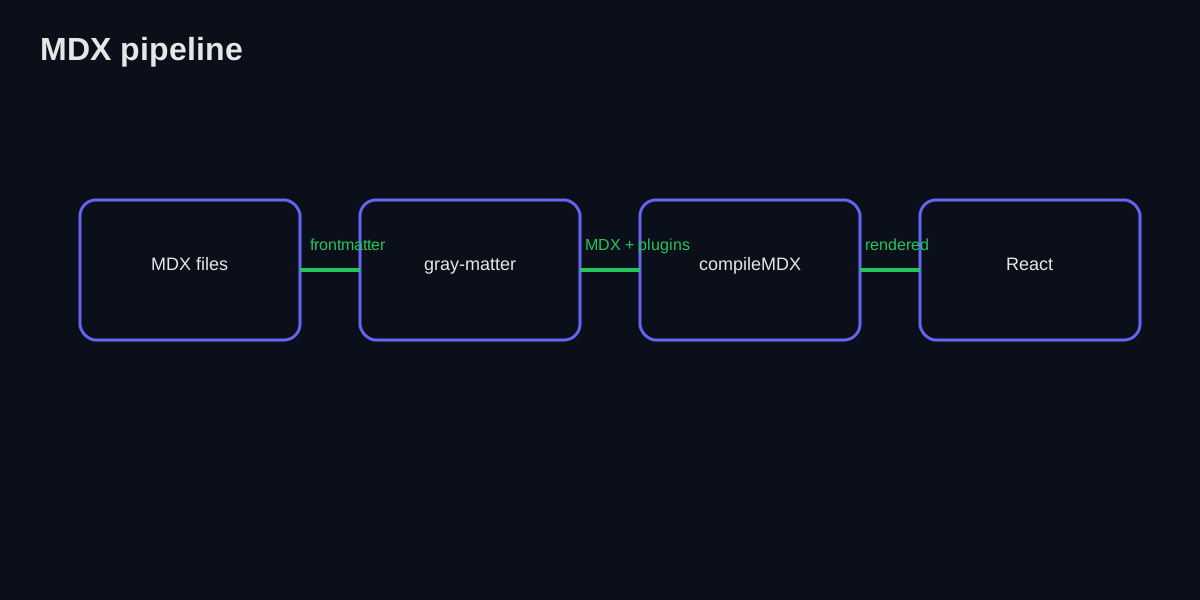
At a high level, my posts live in src/content/blog/*.mdx. Astro’s Content Collections handle the heavy lifting: schema validation, frontmatter parsing, and compilation all happen at build time.
Here’s how it works:
- Content Collections define the schema with Zod in
src/content/config.ts getStaticPaths()generates a route for every post at build timepost.render()compiles the MDX through the remark/rehype pipeline- Astro outputs static HTML — no MDX compilation happens in the browser
The schema ensures every post has the right shape:
const blog = defineCollection({
  type: "content",
  schema: z.object({
    title: z.string(),
    date: z.string(),
    readingTime: z.string().optional(),
    excerpt: z.string().optional(),
    tags: z.array(z.string()).optional(),
  }),
});
And the page route at src/pages/blog/[slug].astro renders each post:
---
import { getCollection } from "astro:content";

export async function getStaticPaths() {
  const posts = await getCollection("blog");
  return posts.map((post) => ({
    params: { slug: post.slug },
    props: { post },
  }));
}

const { post } = Astro.props;
const rendered = await post.render();
const Content = rendered.Content;
const headings = rendered.headings ?? [];
---

<article>
  <div class="mdx-content">
    <Content />
  </div>
</article>
The key point: the MDX compilation happens at build time, not in the browser. Visitors get clean, static HTML with zero JavaScript needed to display the content.
Deep dive: the remark/rehype plugin pipeline
Here’s where things get interesting. MDX doesn’t just parse Markdown — it runs your content through a unified pipeline with two processing stages:
The flow looks like this:
MDX Source
    |
Parse to mdast (Markdown AST)
    |
Remark plugins transform mdast
    |
Convert to hast (HTML AST)
    |
Rehype plugins transform hast
    |
Stringify to HTML + component islands
My plugin stack
The plugins are configured once in astro.config.mjs and apply to all Markdown and MDX content:
export default defineConfig({
  markdown: {
    remarkPlugins: [remarkMath, remarkGfm],
    rehypePlugins: [rehypeSlug, rehypeKatex],
  },
  integrations: [
    react(),
    tailwind({ applyBaseStyles: false }),
    mdx(),
    sitemap(),
  ],
});| Plugin | Stage | Purpose |
|---|---|---|
| remark-math | Remark | Parses $inline$ and $$block$$ math syntax |
| remark-gfm | Remark | Enables GitHub Flavored Markdown (tables, strikethrough, autolinks) |
| rehype-slug | Rehype | Auto-generates id attributes on headings for anchor links |
| rehype-katex | Rehype | Renders math expressions using KaTeX |
Remark plugins run first (on Markdown), then Rehype plugins run on the resulting HTML. Within each stage, plugins run in array order. Put rehypeSlug before anything that depends on heading IDs.
Astro handles syntax highlighting out of the box with Shiki, so there’s no need for a separate rehype-highlight plugin. Code blocks get beautiful, theme-aware highlighting with zero configuration.
Table of contents + heading extraction
I wanted a TOC on every post. Astro makes this easy — when you call post.render(), it returns a headings array alongside the compiled Content component:
const rendered = await post.render();
const headings = rendered.headings ?? [];
// Each heading: { slug: string, text: string, depth: number }
These headings are extracted by rehype-slug during compilation, so the IDs are stable across builds. The TOC component receives them and renders an interactive sidebar with scroll tracking via IntersectionObserver.
I also have a utility in src/utils/extractHeadings.ts that builds a nested hierarchy from the flat headings array — turning a flat list of h2s and h3s into a proper tree structure for indented rendering.
Heading extraction happens once at build time. The client-side TOC just receives the pre-built list and handles scroll tracking — no parsing needed in the browser.
Creating custom MDX components
Want to add a new component? Here’s the pattern I use:
Step 1: Create the component
// src/components/mdx/MyComponent.tsx
import React from "react";

interface MyComponentProps {
  title: string;
  children: React.ReactNode;
}

export default function MyComponent({ title, children }: MyComponentProps) {
  return (
    <div className="my-4 p-4 border border-accent/30 rounded-lg">
      <h4 className="font-bold mb-2">{title}</h4>
      <div>{children}</div>
    </div>
  );
}
Step 2: Import and use it in your MDX
import MyComponent from '@/components/mdx/MyComponent';

<MyComponent title="Hello">
  This content renders inside the component.
</MyComponent>
With Astro’s MDX integration, imports work directly in .mdx files — no component registry needed. If your component needs client-side interactivity (hooks, state), add the client:load directive:
<Counter client:load />Astro uses an islands architecture. Static components render to HTML with zero JavaScript. Only components with a client:* directive ship JS to the browser. Use client:load for immediately interactive components, or client:visible to defer hydration until the component scrolls into view.
Current component inventory
Here’s what I’ve got available:
| Component | Type | Purpose |
|---|---|---|
Callout | Static | Tips, warnings, notes with styled boxes |
Counter | Interactive | Counter demo (uses useState, needs client:load) |
NerdCorner | Interactive | Collapsible advanced-info section |
NotebookEmbed | Interactive | Lazy-loads Jupyter notebook HTML with collapsible UI |
The constraint is intentional: fewer components means fewer ways for content to break over time.
Styling: a focused MDX layer
All post content is wrapped in .mdx-content, with typography and media styles in src/styles/markdown.css. That means:
- Code blocks look good without extra wrappers
- Tables are readable
- Images and iframes are responsive by default
Because the styles are centralized in a single file, I can tweak typography without editing every post. That’s a small thing that pays off over time.
The CSS uses custom properties for theming — including a terminal-themed palette that powers the entire site’s look:
.mdx-content {
  color: var(--primary-text);
  font-family: "Atkinson Hyperlegible", system-ui, sans-serif;
}

.mdx-content code:not(pre code) {
  background-color: var(--code-bg);
  color: var(--code-text);
  padding: 0.125rem 0.375rem;
  border-radius: 0.25rem;
}

.mdx-content pre {
  background-color: var(--code-bg);
  padding: 1rem;
  border-radius: 0.5rem;
  overflow-x: auto;
}
The build process: what actually happens
When you run astro build, here’s the flow:
- Content Collections scan
src/content/blog/and validate every post’s frontmatter against the Zod schema getStaticPaths()generates a route for each postpost.render()compiles each MDX file through the remark/rehype pipeline- Astro outputs static HTML — every page is pre-rendered with zero client-side compilation
- Vite bundles only the JavaScript needed for interactive islands
This is Static Site Generation (SSG) — pages are built once and served as static HTML. Astro’s build is fast because it ships zero JavaScript by default and only hydrates the interactive islands you explicitly opt into.
SEO considerations
MDX plays nicely with SEO because the output is clean HTML. Here’s what I’m doing:
Semantic HTML structure
- One
<h1>per page (the post title, rendered from frontmatter) - Proper heading hierarchy (
h2->h3->h4) <time>elements for dates<article>wrapper for the main content
Meta tags and Open Graph
Astro’s <BaseLayout> handles meta tags, and I generate dynamic OG images with Satori at /src/pages/og/[...slug].png.ts:
---
// In BaseLayout.astro
const { title, ogSlug } = Astro.props;
---
<head>
  <title>{title}</title>
  <meta property="og:title" content={title} />
  <meta property="og:image" content={`https://pvi.sh/og/${ogSlug}.png`} />
</head>
Each blog post gets a unique OG image generated at build time — no external service needed.
Use Google’s Rich Results Test to validate your JSON-LD before deploying.
URL structure
Clean URLs like /blog/my-post-slug are handled automatically by Astro’s file-based routing. A file at src/content/blog/my-post.mdx becomes /blog/my-post via the dynamic route in src/pages/blog/[slug].astro.
Performance: where it matters (and where it doesn’t)
Astro’s architecture means most performance concerns are already handled:
- Zero JS by default — blog content ships as pure HTML, no React runtime needed
- Islands for interactivity — only the TOC, theme switcher, and interactive MDX components ship JavaScript
- Build-time compilation — MDX is compiled once, not on every request
Performance optimizations I’ve made
Vite manual chunking keeps the bundle lean by splitting heavy dependencies:
vite: {
  build: {
    rollupOptions: {
      output: {
        manualChunks(id) {
          if (id.includes("framer-motion")) return "framer-motion";
          if (id.includes("react-icons")) return "react-icons";
          if (id.includes("katex")) return "katex";
        },
      },
    },
  },
},
Lazy loading heavy components — the NotebookEmbed only fetches HTML when expanded:
useEffect(() => {
  if (isOpen && !htmlContent) {
    setLoading(true);
    fetch(`/downloads/${notebookHtml}.html`)
      .then((res) => res.text())
      .then((content) => {
        setHtmlContent(content);
        setLoading(false);
      });
  }
}, [isOpen, notebookHtml, htmlContent]);
Mobile GPU savings — backdrop-filter (blur) is disabled on mobile via CSS to save battery:
@media (pointer: coarse), (max-width: 768px) {
  * { backdrop-filter: none !important; }
}
Rendering model (why the page still feels snappy)
Astro’s islands architecture is the key insight. Unlike a traditional React SPA where the entire page is a JavaScript application, Astro renders everything to static HTML first. Only the pieces that need interactivity — like the table of contents scroll tracker or the theme switcher — get hydrated as isolated React components.
The result: most of the page loads instantly as static HTML, and the few interactive pieces hydrate independently without blocking each other. A blog post with a TOC and a counter component ships maybe 40KB of JavaScript total, compared to 200KB+ for an equivalent React SPA.
The parts I don’t want to compromise on
- Readable source files (writing should feel like writing, not coding).
- Composable components (callouts, embeds, and custom UI).
- Plain SEO-friendly HTML on the other side.
- Near-zero JavaScript for content that doesn’t need it.
MDX on Astro checks all four boxes.
Measuring performance (lightweight but honest)
I keep an eye on:
- Build time (does compiling all posts start to drag?)
- Page load on mobile (do embeds slow things down?)
- Core Web Vitals for individual posts
- JavaScript bundle size per page (islands should stay small)
If any of those start to slip, I’ll adjust the pipeline rather than throwing more JS at the browser.
For my current post volume, build-time compilation is a trade-off I’m happy with: simpler code, fewer moving parts, and Astro’s static output means the site is as fast as it can possibly be.
What I’d improve next
- View Transitions — Astro supports the View Transitions API for smooth page navigation (already partially implemented)
- Prebuilt search index for faster client filtering — consider Fuse.js or Pagefind
- Image optimization with Astro’s
<Image>component for automatic format conversion and responsive sizing - RSS feed generation from the content collection metadata
A note on images and embeds
Images live in public/images/blog/..., which keeps paths stable and makes them easy to reference from MDX. For videos, I use responsive <iframe> embeds that inherit the .mdx-content styling so they don’t overflow the layout on small screens.
Further reading
- MDX Official Documentation — the definitive guide
- Astro Content Collections — how Astro handles structured content
- Unified.js ecosystem — the parser that powers remark/rehype
- Astro Islands — the architecture behind partial hydration
- Core Web Vitals — what to measure for performance
Examples you can read next
If you’re building your own MDX pipeline and want to compare notes, I’m happy to share more details.
01MDX Rendering Test
Test to see how MDX gets rendered on my site!
10min
02Principles
Principles and guidelines that guide my life and work, inspired by the greats and my own experiences.
8min
03Reverse Proxy for a Homelab: Caddy Done Right
How to set up Caddy as a reverse proxy for your self-hosted services, with automatic HTTPS, internal domains, and clean URLs.
22min